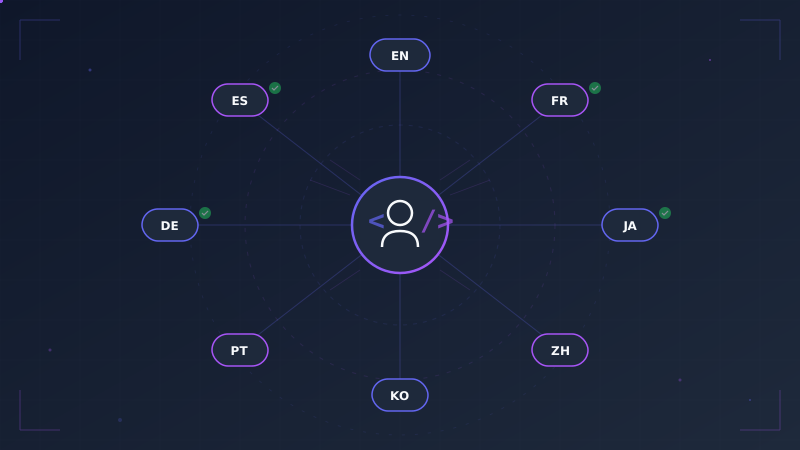
You built a Django app. It works, users are signing up, and now you want to reach people who don't speak English. The problem is obvious the moment you look at it: Django's internationalization framework is excellent at extracting translatable strings, but it does absolutely nothing to fill in the translations. That part is on you.
If you're a solo developer or a two-person team, the gap between
makemessages and a fully translated app can feel enormous. I'll walk through
the realistic options, explain why most of them fall apart for small teams,
and show a workflow that takes translation from a multi-week chore to a
two-minute command.
The Traditional Options (and Why They Hurt)
Option 1: Copy-Paste from Google Translate
The most common first attempt. You open your .po file, copy each msgid
into Google Translate, paste the result back as msgstr, and repeat. For
every string. In every language.
A typical Django app has 200-500 translatable strings. If you're translating to five languages, that's 1,000-2,500 copy-paste cycles. Even if each one takes only 30 seconds, you're looking at 8-20 hours of mind-numbing work. And that's before you fix the formatting errors, broken placeholders, and inconsistent terminology that inevitably creep in.
Worse, you have to do it again next sprint when you add new strings.
Option 2: Professional Translators
Professional translation typically costs $0.10 to $0.25 per word. A Django app with 500 strings averaging 8 words each works out to roughly 4,000 words. At $0.15/word, that's $600 per language, or $3,000 for five languages.
For a VC-funded startup, that's a rounding error. For a solo developer charging $9/month per user, it can eat your entire revenue for the quarter.
Option 3: Fiverr and Freelance Marketplaces
You can find translators on Fiverr for $20-50 per language. Some are genuinely skilled. Many are simply pasting your text into Google Translate and charging you for the privilege. You end up with the same quality as Option 1, plus an extra round-trip of communication and a week of waiting.
Option 4: Crowdin, Transifex, or Weblate
These platforms are powerful, but they're designed for projects with dedicated translation teams. The setup overhead (syncing repositories, configuring translation memory, managing contributor access) is overkill when you're the only person on the project. Monthly subscriptions start at $30-150/month for paid tiers, and even free tiers require you to maintain yet another third-party integration.
Option 5: Paste Everything into ChatGPT
This actually works surprisingly well for quality. You paste your .po file
contents into ChatGPT or Claude, ask for translations, and get reasonable
results. The problem is that it doesn't scale. You have to manually extract
the untranslated strings, format the prompt, parse the response back into
.po format, and handle batching when you exceed context limits. It works
once. It breaks down as a repeatable workflow.
The Automation Approach
What if the entire translation step was a single command? That's the idea
behind TranslateBot, an
open-source Django management command that reads your .po files, sends
untranslated strings to an AI provider, and writes the translations back in
the correct format.
Here's how to set it up.
Step 1: Install TranslateBot
uv add --dev translatebot-django
Or with pip:
pip install translatebot-django
Add it to your installed apps:
# settings.py
INSTALLED_APPS = [
    # ...
    'translatebot_django',
]
Step 2: Configure Your AI Provider
Add two settings:
# settings.py
import os

TRANSLATEBOT_API_KEY = os.getenv("OPENAI_API_KEY")
TRANSLATEBOT_MODEL = "gpt-4o-mini"
TranslateBot works with OpenAI, Anthropic Claude, Google Gemini, and 100+ other models through LiteLLM. It also supports DeepL as a dedicated translation backend.
Step 3: Create a TRANSLATING.md (Optional but Recommended)
A TRANSLATING.md file in your project root gives the AI context about your
application. This is what separates generic machine translation from
translations that actually fit your product:
# Translation Context

## About This Project
A personal finance tracker for freelancers. Users track invoices,
expenses, and tax obligations.

## Tone
- Friendly and informal
- Use "du" in German, "tu" in French
- Keep financial terms precise

## Terminology
- "invoice" = "Rechnung" (German), "facture" (French)
- "dashboard" = keep as English loanword in all languages
- "freelancer" = keep as English loanword in German
This file is sent along with every translation request, so the AI consistently uses the right tone and terminology.
Step 4: Translate
python manage.py makemessages -l de -l fr -l nl -l es -l ja
python manage.py translate
python manage.py compilemessages
Three commands. That's it. TranslateBot finds all untranslated strings across
all your .po files, translates them in batches, and writes the results
back. Only empty entries are translated by default, so running the command
again after adding new strings only translates the new ones.
What This Looks Like in Practice
Here's a realistic sprint workflow for a solo developer supporting five languages:
Monday: You build a new feature. You add a few new translatable strings
using gettext() and {% trans %} as you go.
from django.utils.translation import gettext_lazy as _

class InvoiceView(View):
    def post(self, request):
        # New string added during development
        messages.success(request, _("Invoice sent successfully."))
Before committing: You run three commands:
python manage.py makemessages -a --no-obsolete
python manage.py translate
python manage.py compilemessages
The translate command detects the new untranslated entries and translates
only those. If you added 5 new strings and you support 5 languages, it makes
25 translations in a single API call. The whole process takes under a minute.
You commit your code, templates, and updated .po/.mo files together.
Translations are part of your normal development flow, not a separate project.
Preview Before You Commit
If you want to see translations before they're written to disk, use dry-run mode:
python manage.py translate --dry-run
This prints every translation to the terminal without modifying any files.
The Cost Comparison
Here's where automation becomes hard to argue against.
| Approach | 500 strings, 5 languages | Time | Recurring cost |
|---|---|---|---|
| Manual copy-paste | Free | ~40 hours | ~8 hrs/sprint |
| Professional translators | ~$3,000 | 1-2 weeks | ~$600/sprint |
| Fiverr translators | ~$100-250 | 3-7 days | ~$50/sprint |
| Crowdin/Transifex | $30-150/mo | Setup: hours | Ongoing |
| TranslateBot + GPT-4o-mini | ~$0.05 | ~2 minutes | ~$0.01/sprint |
| TranslateBot + DeepL Free | $0 | ~2 minutes | $0 |
A small-to-medium Django app with around 500 translatable strings typically
costs under $0.01 per language with gpt-4o-mini. For most solo projects,
the DeepL free tier (500,000 characters/month) covers everything at zero
cost.
To be clear: AI translations aren't perfect. Neither are budget human translations. The difference is that AI translations cost almost nothing, arrive instantly, and can be re-run whenever you want.
CI Integration: Never Ship Untranslated Strings
One of the most useful patterns I've found as a solo developer is adding a
translation check to CI. TranslateBot includes a check_translations command
that fails if any .po file has untranslated or fuzzy entries:
# .github/workflows/ci.yml
jobs:
  translations:
    runs-on: ubuntu-latest
    steps:
      - uses: actions/checkout@v4
      - uses: astral-sh/setup-uv@v4
        with:
          enable-cache: true
      - run: uv python install
      - run: uv sync --frozen
      - name: Install gettext
        run: sudo apt-get update && sudo apt-get install -y --no-install-recommends gettext
      - name: Check translations
        run: uv run python manage.py check_translations --makemessages
If you add a new {% trans %} tag in a template and forget to run
translate, CI will catch it:
locale/de/LC_MESSAGES/django.po: 1 untranslated, 0 fuzzy
locale/fr/LC_MESSAGES/django.po: 1 untranslated, 0 fuzzy
CommandError: Translation check failed
This turns translations from something you remember to do into something you can't forget.
Practical Tips
Start with two or three languages. You don't need to launch in 15 languages on day one. Pick the ones where you have the most users or the largest addressable market. German, French, and Spanish cover a lot of ground for European markets.
Have native speakers review critical strings. AI translations are good enough for most UI text, but your landing page headline and onboarding flow deserve a human eye. Ask a friend, a user, or someone in a community forum to spend 10 minutes reviewing the most visible strings.
Use dry-run before overwriting. If you ever need to re-translate
everything (for example, after updating your TRANSLATING.md with better
terminology guidelines), preview the changes first:
python manage.py translate --overwrite --dry-run
Keep TRANSLATING.md in version control. It's part of your project's
translation configuration. When you update terminology or tone guidelines,
the next translate run will reflect those changes for any new strings.
Translate per app when needed. If you only changed strings in one app, you can scope the translation:
python manage.py translate --app billing
From Weeks to Minutes
Django's internationalization framework is one of the best in any web
framework. The tooling for makemessages, locale directories, and
compilemessages is mature and reliable. The only piece that was missing was
the translation step itself. That used to be the expensive, slow part.
With TranslateBot, the workflow becomes:
- Write code with
gettext()and{% trans %}as normal - Run
makemessagesto extract strings - Run
translateto fill in translations - Run
compilemessagesto compile - Commit everything together
For a solo developer, this means localization is no longer a project you plan for "someday." It's something you can do today, in the time it takes to make a cup of coffee.
TranslateBot is open source and available on PyPI and GitHub. Install it, run the command, and see your app in a new language in minutes.